Difference between revisions of "Product"
m |
|||
| (15 intermediate revisions by the same user not shown) | |||
| Line 24: | Line 24: | ||
<td valign=bottom width=10%> <li> [[Pricing|Pricing]] </li></td> | <td valign=bottom width=10%> <li> [[Pricing|Pricing]] </li></td> | ||
<td valign=bottom width=10%> <li> [[First_Use|First Use]] </li></td> | <td valign=bottom width=10%> <li> [[First_Use|First Use]] </li></td> | ||
| − | <td valign=bottom width=10%> <li> [[Operation|Operation]] </li></td> | + | <td valign=bottom width=10%> <li> [[Operation|Operation]] </li></td> |
| + | <td valign=bottom width=10%> <li> [[Renew|Subscription]] </li></td> | ||
<td valign=bottom width=10%> <li> [[Affiliates|Affiliates]] </li></td> | <td valign=bottom width=10%> <li> [[Affiliates|Affiliates]] </li></td> | ||
| − | |||
<td valign=bottom width=10%> <li> [[What_If|What If]] </li></td> | <td valign=bottom width=10%> <li> [[What_If|What If]] </li></td> | ||
<td valign=bottom width=10%> <li> [[Contact|Contact]] </li></td> | <td valign=bottom width=10%> <li> [[Contact|Contact]] </li></td> | ||
| Line 40: | Line 40: | ||
| − | <strong>Introducing KEPONET as the | + | <strong>Introducing KEPONET as the Smart Task Assignment System.</strong> |
| − | <p align=justify> [https://www.keponet.com KEPONET] is request management system in every location within the hotel area and is very useful | + | <p align=justify> [https://www.keponet.com KEPONET] is a smart task assignment system that specializes in the hospitality business and can be used as a request management system too in every location within the hotel area. Keponet is very useful to improve the standard of handling an operational task or a request from hotel guests and make staff performance in prime condition to achieve customer satisfaction. Keponet is suitable for hotel operational activities that have high task traffic or have a lot of staff members. Every hotel that wants to use Keponet for operational activities with a long time, must subscribe first to use Keponet. </p> |
| + | <!-- | ||
| + | //Note - | ||
| + | Keponet is a request management system in every location within the hotel area and is very useful for improving the standard of handling requests from hotel guests and make staff performance in prime condition to achieve customer satisfaction. We have developed this application with an accurate design and you need this application to boost guest marvelous experience by effectively enhance your staff performance to fulfill guest requests. | ||
| + | [[File:Login.png|650px|link=|thumb|center|<p align=center> <strong> Keponet - Guest Intelligent Service </strong></p>]]--> | ||
| + | [[File:Login.png|650px|link=|center|<p align=center>|Keponet as Guest Intelligent Service]] | ||
| − | |||
| − | |||
| Line 56: | Line 59: | ||
<table width=100% border="0"> | <table width=100% border="0"> | ||
<tr> | <tr> | ||
| − | + | <td><strong> A.</strong></td> | |
| − | + | <td colspan=4><Strong> SIMPLE </strong></td> | |
| − | <td><strong> | ||
| − | <td | ||
</tr> | </tr> | ||
<tr> | <tr> | ||
| − | <td> </td> | + | <td rowspan=6> </td> |
| − | + | </tr> | |
<tr> | <tr> | ||
| − | <td>< | + | <td rowspan="4" valign=top>[[File:Why_Simple.png|200px|link=|center|Simple]]</td> |
| + | <td rowspan="18"><span style="color:white">_.</span></td> | ||
| + | <td><strong> 1. </strong></td> | ||
| + | <td colspan="3"><strong> Simple Installation.</strong></td> | ||
</tr> | </tr> | ||
| + | <tr> | ||
| + | <td> </td> | ||
| + | <td align=justify><p align=justify><strong> Just DOWNLOAD, then USE it ! </strong> | ||
| + | <br> The Keponet application is a cloud-based application, so users do not need to pay extra for procuring a server, configuring, and maintaining it. Another advantage is guaranteed data security, regular updates, and comprehensive. As simply, you only need to download it and then use it.</p> | ||
| + | </td> | ||
</tr> | </tr> | ||
<tr> | <tr> | ||
| − | + | <td><strong> 2. </strong></td> | |
| − | <td><strong>2.</strong></td> | + | <td><strong> Simple Use.</strong></td> |
| − | <td | + | </tr> |
| − | |||
<tr> | <tr> | ||
<td> </td> | <td> </td> | ||
| − | <td align=justify> | + | <td align=justify><p align=justify> We designed Keponet to make it easy use for anyone, including users who are unfamiliar with technology or a new user of Keponet. By using Keponet continuously, we very sure that in the future all user (Hotel staff) will be familiar and easy to operate Keponet for assist their operational activities.</p> |
| + | </td> | ||
| + | </tr> | ||
<tr> | <tr> | ||
<td><br></td> | <td><br></td> | ||
</tr> | </tr> | ||
| + | <tr> | ||
| + | <td><strong> B. </strong></td> | ||
| + | <td colspan=4><Strong> FLEXIBILITY </strong></td> | ||
</tr> | </tr> | ||
<tr> | <tr> | ||
| − | <td rowspan=" | + | <td rowspan=8> </td> |
| − | <td><strong> | + | </tr> |
| − | <td | + | <tr> |
| + | <td rowspan="6" valign=top>[[File:Why_Flexibility.png|200px|link=|center|Simple]]</td> | ||
| + | <td><strong> 1. </strong></td> | ||
| + | <td colspan="3"><strong> Guest Request Activity.</strong></td> | ||
</tr> | </tr> | ||
<tr> | <tr> | ||
<td> </td> | <td> </td> | ||
| − | <td align=justify> | + | <td align=justify><p align=justify> You can use the Keponet for every task that has related with the hotel guests requests.</p> |
| + | </td> | ||
| + | </tr> | ||
<tr> | <tr> | ||
| − | <td>< | + | <td><strong> 2. </strong></td> |
| + | <td><strong> Work Order Assignment.</strong></td> | ||
</tr> | </tr> | ||
| + | <tr> | ||
| + | <td> </td> | ||
| + | <td align=justify><p align=justify> By using Keponet, the tasks that occur in your hotel will be sorted automatically according to priority.</p> | ||
| + | </td> | ||
| + | <tr> | ||
</tr> | </tr> | ||
| − | + | <tr> | |
| − | + | <td><strong> 3. </strong></td> | |
| − | <td><strong> | + | <td><strong> General Task Assignment.</strong></td> |
| − | <td | ||
</tr> | </tr> | ||
<tr> | <tr> | ||
<td> </td> | <td> </td> | ||
| − | <td align=justify> | + | <td align=justify><p align=justify> You can also use Keponet to assign a task between your work partners.</p> |
| + | </td> | ||
| + | <tr> | ||
| + | </tr> | ||
<tr> | <tr> | ||
<td><br></td> | <td><br></td> | ||
</tr> | </tr> | ||
| + | <tr> | ||
| + | <td><strong> C. </strong></td> | ||
| + | <td colspan=4><Strong> GREAT ANALYSIS </strong></td> | ||
| + | </tr> | ||
| + | <tr> | ||
| + | <td rowspan=4> </td> | ||
</tr> | </tr> | ||
<tr> | <tr> | ||
| − | <td rowspan=" | + | <td rowspan="4" valign=top>[[File:Why_GreatAnalysis.png|200px|link=|center|Simple]]</td> |
| − | <td><strong> | + | <td><strong> 1. </strong></td> |
| − | <td | + | <td colspan="3"><strong> Detailed Reports For Each Activity. </strong></td> |
</tr> | </tr> | ||
<tr> | <tr> | ||
<td> </td> | <td> </td> | ||
| − | <td align=justify> | + | <td align=justify><p align=justify> You can use Keponet to analyze all operational activities, such as: |
| − | + | <p align=justify> 1. Task Details that has been completed. | |
| − | + | <br> 2. Performance Analytic for individual staff or department. | |
| − | + | <br> 3. Analyze fequently guest requests or task. | |
| − | + | <br> 4. Location analysis that often gets requests from guest or maintenance. | |
| − | + | <br> 5. Analysis based traffic time when a lot of task or guest requests. | |
| − | + | <br> 6. Analysisi based on guest who frequently make request to the hotel. | |
| − | + | </p> | |
| − | + | </td> | |
| − | |||
| − | |||
| − | |||
| − | |||
| − | |||
| − | |||
| − | |||
| − | |||
| − | |||
| − | |||
| − | |||
| − | |||
| − | |||
| − | |||
| − | |||
| − | |||
| − | |||
| − | |||
| − | |||
| − | |||
| − | |||
| − | |||
| − | |||
| − | |||
| − | |||
| − | |||
| − | |||
| − | |||
| − | |||
| − | |||
| − | |||
| − | |||
| − | |||
| − | |||
| − | |||
| − | |||
| − | |||
| − | |||
| − | |||
| − | |||
| − | |||
| − | |||
| − | |||
| − | </ | ||
</tr> | </tr> | ||
| − | |||
| − | |||
| − | |||
</table> | </table> | ||
| Line 174: | Line 159: | ||
<table width=100% border="0"> | <table width=100% border="0"> | ||
<tr> | <tr> | ||
| − | <td><strong>1.</strong></td> | + | <td valign="bottom"><strong> 1. </strong></td> |
| − | <td align=justify><strong> | + | <td align=justify valign="bottom"><strong> Escalation. </strong></td> |
<td rowspan="20"><span style="color:white">_</span></td> | <td rowspan="20"><span style="color:white">_</span></td> | ||
| − | <td rowspan="2">[[File: | + | <td rowspan="2">[[File:New_FEscalation.png|100px|link=|center|Automatic Escalation]]</td> |
</tr> | </tr> | ||
<tr> | <tr> | ||
<td> </td> | <td> </td> | ||
| − | <td align=justify> | + | <td align=justify valign="top"> We understand every minutes when delivering guest request is matter, by using this feature you can set every task finish time limit. When a task didn't finish on time, Keponet will send notification to the upper position. </p> |
| − | + | </td> | |
</tr> | </tr> | ||
<tr> | <tr> | ||
| Line 188: | Line 173: | ||
</tr> | </tr> | ||
<tr> | <tr> | ||
| − | <td><strong>2.</strong></td> | + | <td valign="bottom"><strong> 2. </strong></td> |
| − | <td align=justify><strong> | + | <td align=justify valign="bottom"><strong> Flexibility. </strong></td> |
| − | <td rowspan="2">[[File: | + | <td rowspan="2">[[File:New_Flexibility.png|150px|link=|center|Kepolytics]]</td> |
</tr> | </tr> | ||
<tr> | <tr> | ||
<td> </td> | <td> </td> | ||
| − | <td align=justify> | + | <td align=justify valign="top"> Keponet is very flexible for all operational activities types in your hotel. You can send an assignment or re-assign a task to the related staff directly, even that 1 task could be handled more than 1 staff and not based on the same department. Not only that, Keponet can be used by the back-office staff as an assessment of their employees and can be used by operational staff for operational activities.</td> |
</tr> | </tr> | ||
<tr> | <tr> | ||
| Line 200: | Line 185: | ||
</tr> | </tr> | ||
<tr> | <tr> | ||
| − | <td><strong>3.</strong></td> | + | <td valign="bottom"><strong> 3. </strong></td> |
| − | <td align=justify><strong> | + | <td align=justify valign="bottom"><strong> Detailed Task & Discussion System. </strong></td> |
| − | <td rowspan="2">[[File: | + | <td rowspan="2">[[File:New_DetailedTask.png|100px|link=|center|Multi Department]]</td> |
</tr> | </tr> | ||
<tr> | <tr> | ||
<td> </td> | <td> </td> | ||
| − | <td align=justify> | + | <td valign="top"><p align=justify> You can add attachment on every task to describe it more detailed and there is room for discussion (chat) in every task, so the discussion is well organized. This feature will minimize miscommunication and missed tasks between staff on duty. </p> |
| + | </td> | ||
</tr> | </tr> | ||
<tr> | <tr> | ||
| Line 212: | Line 198: | ||
</tr> | </tr> | ||
<tr> | <tr> | ||
| − | <td><strong>4.</strong></td> | + | <td valign="bottom"><strong> 4. </strong></td> |
| − | <td align=justify><strong> | + | <td align=justify valign="bottom"><strong> Kepolytics. </strong></td> |
| − | <td rowspan="2">[[File: | + | <td rowspan="2">[[File:New_FKepolytics.png|150px|link=|center|Invite Other Team]]</td> |
</tr> | </tr> | ||
<tr> | <tr> | ||
<td> </td> | <td> </td> | ||
| − | <td align=justify> | + | <td align=justify valign="top"> Every task detail well recorded very well, so you can use this data to improve your hotel activity.</td> |
</tr> | </tr> | ||
<tr> | <tr> | ||
| Line 224: | Line 210: | ||
</tr> | </tr> | ||
<tr> | <tr> | ||
| − | <td><strong>5.</strong></td> | + | <td valign="bottom"><strong> 5. </strong></td> |
| − | <td align=justify><strong> | + | <td align=justify valign="bottom"><strong> Announcment / Alert </strong></td> |
| − | <td rowspan="2">[[File: | + | <td rowspan="2">[[File:New_AnnounceAlert.png|150px|link=|center|Chat is Task]]</td> |
</tr> | </tr> | ||
<tr> | <tr> | ||
<td><strong> </strong></td> | <td><strong> </strong></td> | ||
| − | <td align=justify> | + | <td align=justify valign="top"> This feature can be used to announce general information to other staff when a higher level staff member wants to hold a meeting with their staff. In addition, this feature can be used to signal danger signs if there are unplanned conditions such as natural disasters or terror threats that occur in the hotel area.</td> |
</tr> | </tr> | ||
<tr> | <tr> | ||
| Line 236: | Line 222: | ||
</tr> | </tr> | ||
<tr> | <tr> | ||
| − | <td><strong>6.</strong></td> | + | <td valign="bottom"><strong> 6. </strong></td> |
| − | <td align=justify><strong> | + | <td align=justify valign="bottom"><strong> User Monitoring </strong></td> |
| − | <td rowspan="2">[[File: | + | <td rowspan="2">[[File:New_UserMonitoring.png|150px|link=|center|Chat is Task]]</td> |
</tr> | </tr> | ||
<tr> | <tr> | ||
<td><strong> </strong></td> | <td><strong> </strong></td> | ||
| − | <td align=justify | + | <td align=justify valign="top"> Detailed online / offline status for each account registered in Keponet & user activity must be stored properly.</td> |
| − | |||
| − | |||
| − | |||
| − | |||
| − | |||
| − | |||
| − | |||
| − | |||
| − | |||
| − | |||
| − | |||
| − | |||
</tr> | </tr> | ||
</table> | </table> | ||
| Line 275: | Line 249: | ||
<tr> | <tr> | ||
<td><strong>2.</strong></td> | <td><strong>2.</strong></td> | ||
| − | <td align=justify><strong>Good Tracking | + | <td align=justify><strong>Good Tracking And Monitoring.</strong></td> |
</tr> | </tr> | ||
<tr> | <tr> | ||
| Line 298: | Line 272: | ||
</tr> | </tr> | ||
</table> | </table> | ||
| − | |||
== How to get? == | == How to get? == | ||
Latest revision as of 09:49, 29 January 2020
|
Hello !!!
|
|
| You can find all the information you need about Keponet.
|
|
Introducing KEPONET as the Smart Task Assignment System.
KEPONET is a smart task assignment system that specializes in the hospitality business and can be used as a request management system too in every location within the hotel area. Keponet is very useful to improve the standard of handling an operational task or a request from hotel guests and make staff performance in prime condition to achieve customer satisfaction. Keponet is suitable for hotel operational activities that have high task traffic or have a lot of staff members. Every hotel that wants to use Keponet for operational activities with a long time, must subscribe first to use Keponet.
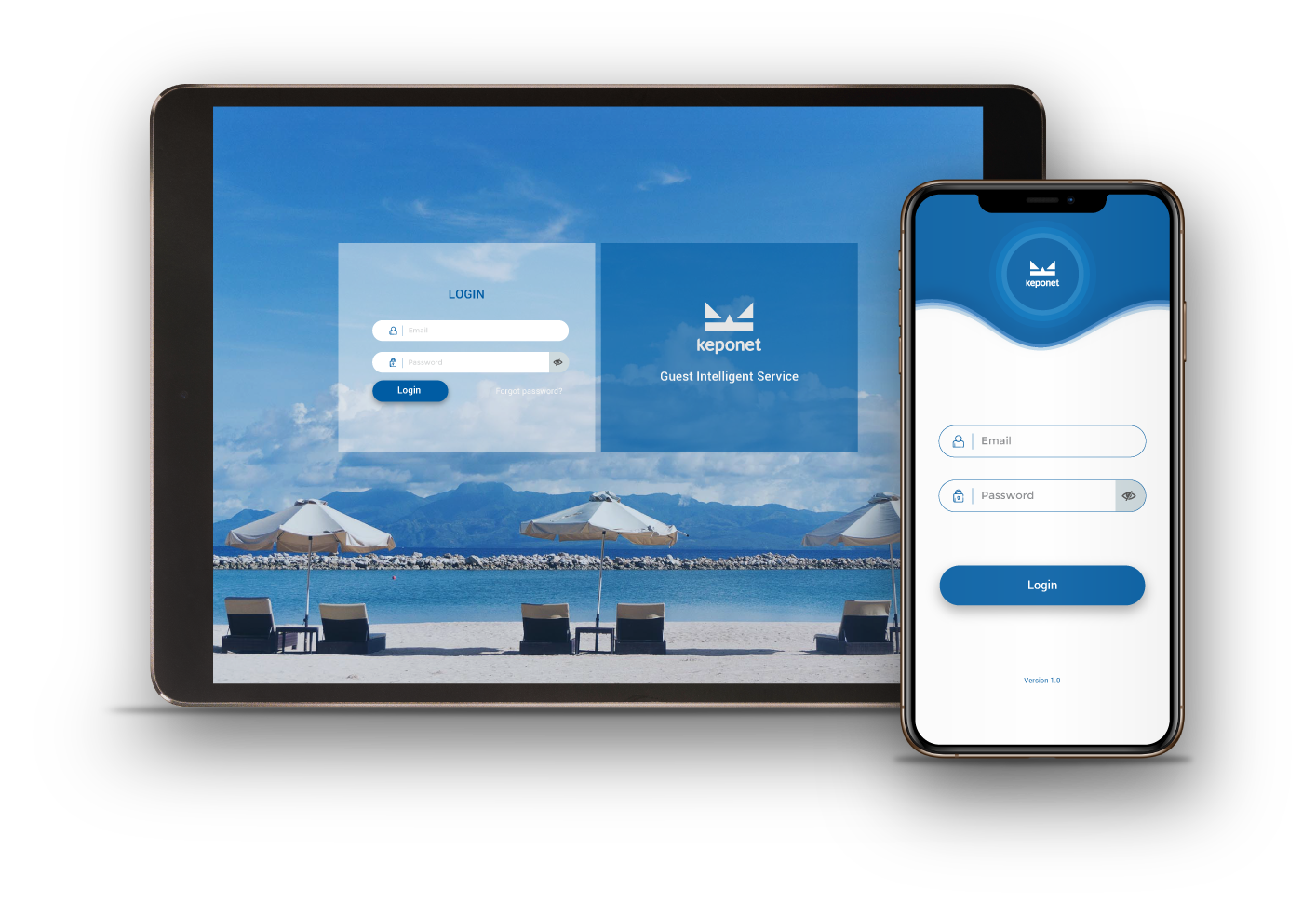
KEPONET is also referred to as the "Guest Intelligent Service" application because of its ability to send a guest request to the related staff so can be rapidly handled, calculate the priority scale of requests, send problem to upper-level staff if there is a request that exceeds the service deadline determined by hotel management, and provide accurate results for analysis.
Why KEPONET?
There are several advantages in Keponet that can be considered to improve guest services at your hotel. These advantages are:
| A. | SIMPLE | ||||
 |
_. | 1. | Simple Installation. | ||
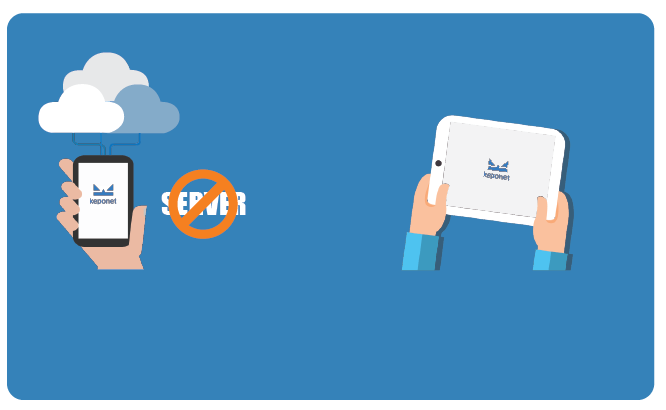
Just DOWNLOAD, then USE it !
|
|||||
| 2. | Simple Use. | ||||
We designed Keponet to make it easy use for anyone, including users who are unfamiliar with technology or a new user of Keponet. By using Keponet continuously, we very sure that in the future all user (Hotel staff) will be familiar and easy to operate Keponet for assist their operational activities. |
|||||
| B. | FLEXIBILITY | ||||
 |
1. | Guest Request Activity. | |||
You can use the Keponet for every task that has related with the hotel guests requests. |
|||||
| 2. | Work Order Assignment. | ||||
By using Keponet, the tasks that occur in your hotel will be sorted automatically according to priority. |
|||||
| 3. | General Task Assignment. | ||||
You can also use Keponet to assign a task between your work partners. |
|||||
| C. | GREAT ANALYSIS | ||||
 |
1. | Detailed Reports For Each Activity. | |||
You can use Keponet to analyze all operational activities, such as: 1. Task Details that has been completed.
|
|||||
The Excellent Features.
The available features at Keponet that can be used to help improve guest services at your hotel is:
| 1. | Escalation. | _ |  |
| We understand every minutes when delivering guest request is matter, by using this feature you can set every task finish time limit. When a task didn't finish on time, Keponet will send notification to the upper position. | |||
| 2. | Flexibility. | 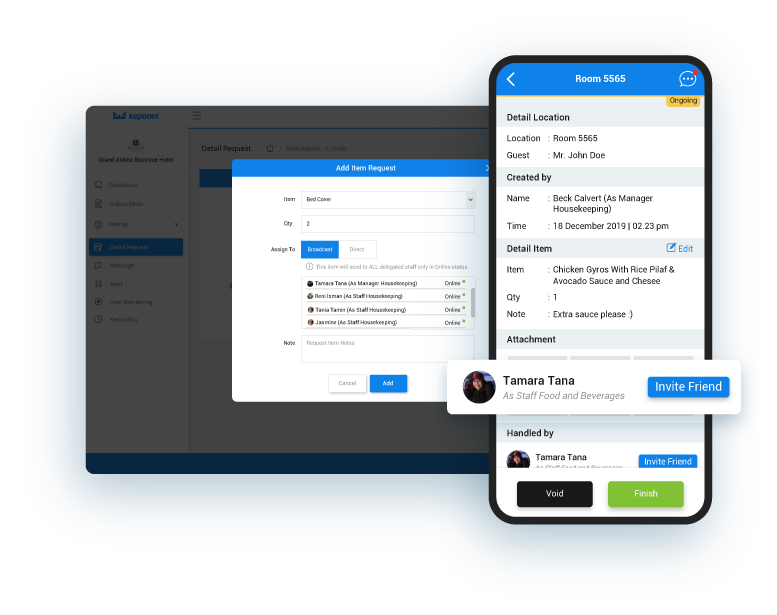 |
|
| Keponet is very flexible for all operational activities types in your hotel. You can send an assignment or re-assign a task to the related staff directly, even that 1 task could be handled more than 1 staff and not based on the same department. Not only that, Keponet can be used by the back-office staff as an assessment of their employees and can be used by operational staff for operational activities. | |||
| 3. | Detailed Task & Discussion System. | 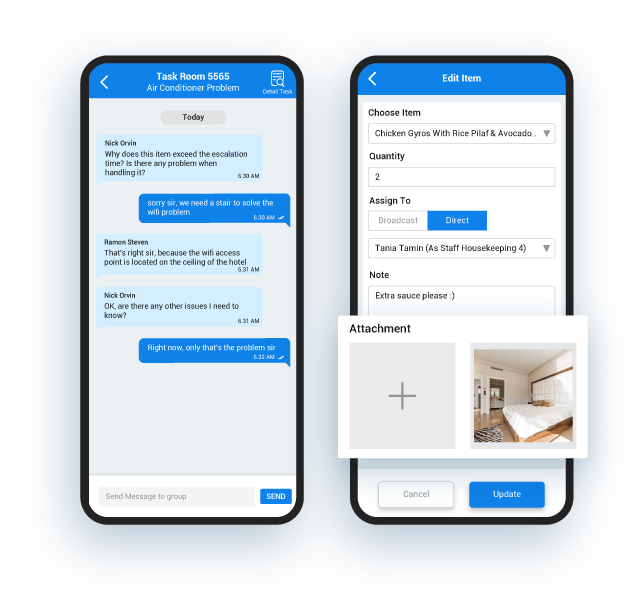 |
|
You can add attachment on every task to describe it more detailed and there is room for discussion (chat) in every task, so the discussion is well organized. This feature will minimize miscommunication and missed tasks between staff on duty. |
|||
| 4. | Kepolytics. | 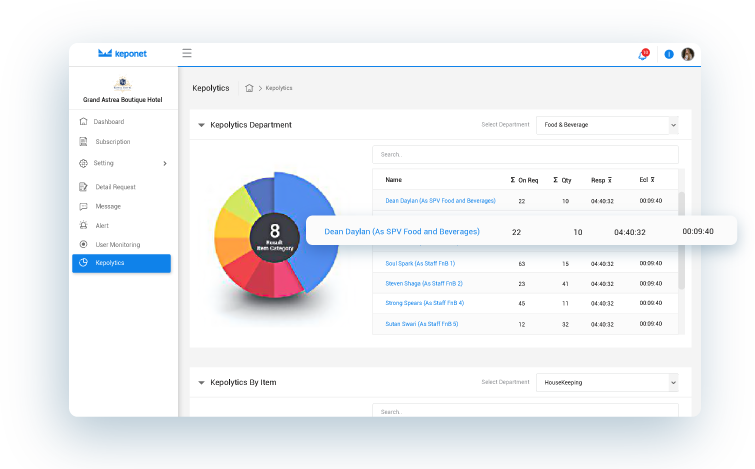 |
|
| Every task detail well recorded very well, so you can use this data to improve your hotel activity. | |||
| 5. | Announcment / Alert | 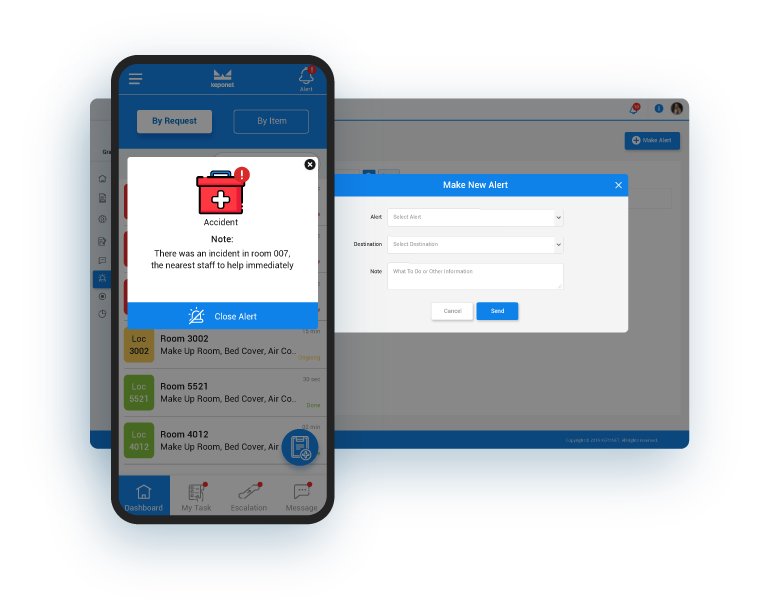 |
|
| This feature can be used to announce general information to other staff when a higher level staff member wants to hold a meeting with their staff. In addition, this feature can be used to signal danger signs if there are unplanned conditions such as natural disasters or terror threats that occur in the hotel area. | |||
| 6. | User Monitoring | 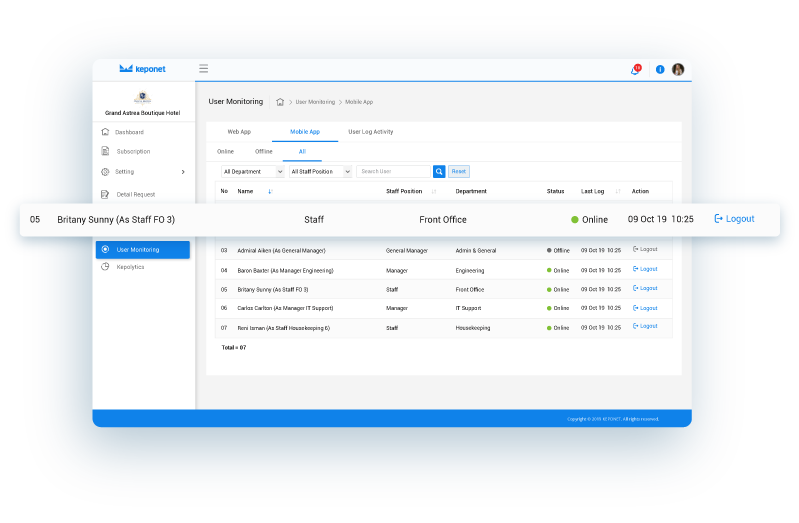 |
|
| Detailed online / offline status for each account registered in Keponet & user activity must be stored properly. |
The Difference.
By uses the Keponet application, we can ensure that your hospitality business will experience significant progress especially in the points of guest services. The benefits after your business uses Keponet is:
| 1. | Faster Service. |
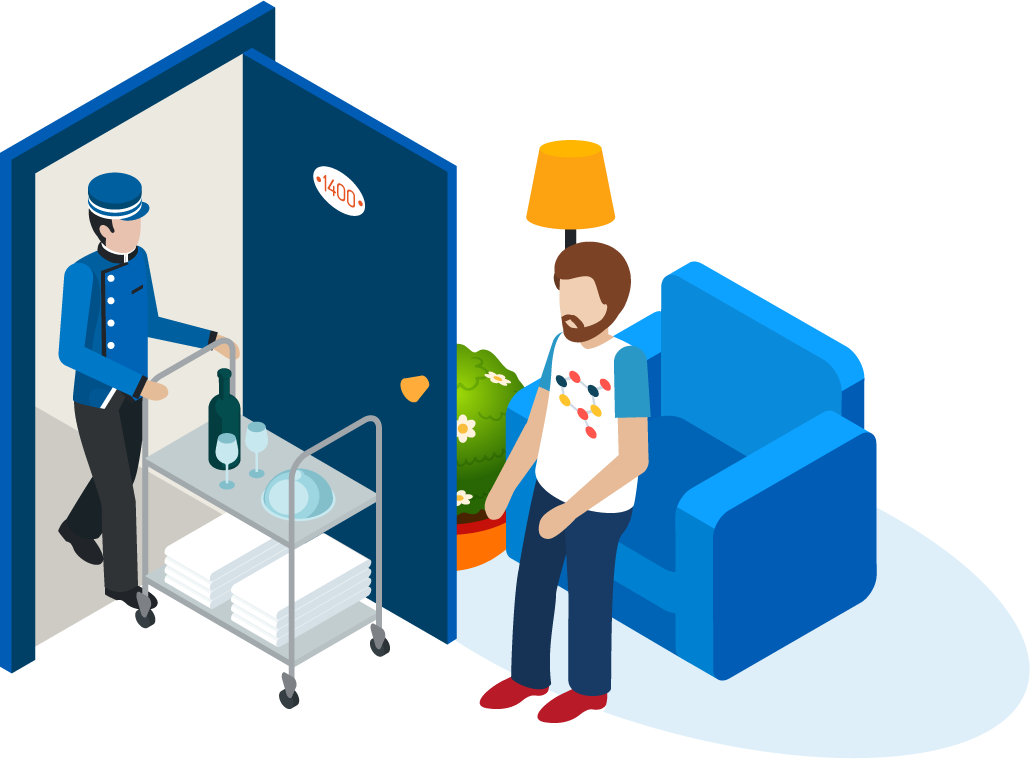
| Our system will do validity automatically and cut down all the long-winded steps when handling guest requests conventionally. This Will make an impact on guest services at your hotel to become FASTER than before using Keponet. | |
 |
|
| 2. | Good Tracking And Monitoring. |
| All requests can be monitor by authorized staff only through their mobile. Our system also provides information about the status of requests, who is responsible for guest requests, and then extent to which the request has been processed. | |
 |
|
| 3. | Great Analysis. |
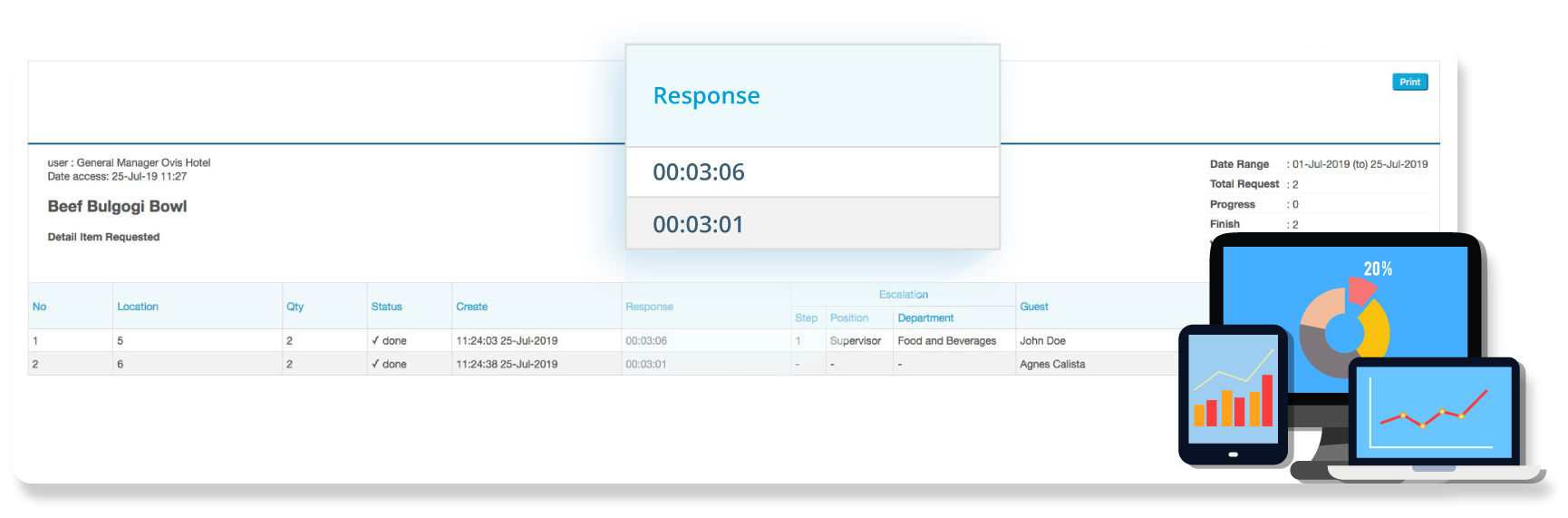
| Using the Kepolytics feature, the manager level can review, analyze, and provide an accurate assessment of all request activities that occur at the hotel. Our system can also display analyzes results that occurs today until the past few months. Even the split second time difference that occurs in all processes, Keponet can record and display correctly. | |
 |
How to get?
You must register first to use our application. After successfully registering, your hospitality business can try our application for free in 14 days and can be extended to 30 days. The trial period will be automatically starting after you verify your registration email and apply to limited users with restricted feature access too.
For additional information,Keponet operates in two different platforms. You can run it on PC browser to work on your personal computer and do master settings by visiting our web application. There is also Mobile version of the Keponet which available in iOS and Android version to operational usage. You can download it at App Store or Google Play Store.
Beside the interface, there is a little distinction functionality between PC browser and Mobile Version. To make arrangements regarding operational requirements at the hotel and work on your personal computer, you can use a PC browser by visiting our web application. However, to daily operational use, portability, and better usage experience; we recommended to using Keponet on Mobile Version.
KEPONET is web-based application platform and can be installed on your gadget by downloading the application on iOS and Android.
Download free now!
 |
 |
For more details, please visit our website.
 |
Copyright © 2019 KEPONET. All Rights reserved. |
